Table of Contents
distributor - state space generation using distributed reachability
analysis
bcg_open [
bcg_opt]
spec[
.bcg] [
cc_opt]
distributor [
distributor_opt]
configuration[
.gcf]
result[
.pbg] [
global_opt]
[
instance_opt]
or:
exp.open
[exp_opt] spec[.exp] [cc_opt] distributor [distributor_opt] configuration[.gcf]
result[.pbg] [global_opt] [instance_opt]
or:
fsp.open [fsp_opt] spec[.lts]
[cc_opt] distributor [distributor_opt] configuration[.gcf] result[.pbg] [global_opt]
[instance_opt]
or:
lnt.open [lnt_opt] spec[.lnt] [cc_opt] distributor [distributor_opt]
configuration[.gcf] result[.pbg] [global_opt] [instance_opt]
or:
lotos.open
[lotos_opt] spec[.lotos] [cc_opt] distributor [distributor_opt] configuration[.gcf]
result[.pbg] [global_opt] [instance_opt]
or:
seq.open [seq_opt] spec[.seq]
[cc_opt] distributor [distributor_opt] configuration[.gcf] result[.pbg] [global_opt]
[instance_opt]
This program performs exhaustive reachability
analysis and generates the Labelled Transition System corresponding to
the BCG graph
spec.bcg, the composition expression
spec.exp, the FSP program
spec.lts, the LNT program
spec.lnt, the LOTOS program
spec.lotos, or the SEQ
file
spec.seq.
Additionally, this program can generate a reduced Labelled
Transition System by applying tau-compression or tau-confluence reductions
on the fly.
Compared to generator
and reductor
, which are
sequential programs executing on a single machine, distributor implements
a distributed algorithm (derived from [GMS01]) that runs on several machines
listed in the grid configuration file configuration.gcf; see gcf
for information about the GCF format. Each machine is used to generate and
store a part of the Labelled Transition System. This allows distributor
to exploit the computing resources (memory and processors) provided by
many machines.
The current version of distributor does not handle LOTOS
programs containing dynamic data types (such as lists, trees, etc.) implemented
using pointers, i.e., all LOTOS programs such that the condition
CAESAR_HASH_SIZE_STATE() < CAESAR_SIZE_STATE()
is verified, where the two functions
CAESAR_HASH_SIZE_STATE() and
CAESAR_SIZE_STATE()
are defined in the
caesar_graph
application programming interface.
All the machines used by distributor must have the same processor and operating
system; for instance, mixing little-endian and big-endian architectures is
not allowed.
As regards the communications between the machines, distributor
does not make strong assumptions and only requires standard TCP sockets
to be available, together with at least one standard remote connection
protocol (such as "rsh/rcp", "ssh/scp", "krsh"/"kcp", etc.). In particular,
distributor does not require the existence of a common file system (e.g.,
NFS, Samba) shared between the machines.
The machine on which distributor
is launched (using the command line described in the SYNOPSIS section above)
is called the local machine. All other machines are called remote machines.
Depending on the contents of configuration.gcf, distributor will launch
distributed processes, which are called instances.
Typically, each instance
executes on one remote machine, but there can be also several instances
per remote machine as well as some instances executing on the local machine.
The generated Labelled Transition System will be stored as a partitioned
BCG graph result.pbg; see pbg
for information about the PBG format.
The resulting PBG file can later be turned into a BCG file using the bcg_merge
tool.
The options
bcg_opt, if any, are passed to
bcg_lib
.
The
options exp_opt, if any, are passed to exp.open
.
The options fsp_opt,
if any, are passed to fsp.open
.
The options lnt_opt, if any, are passed
to lnt.open
.
The options lotos_opt, if any, are passed to caesar
and to caesar.adt
.
The options seq_opt, if any, are passed to seq.open
.
The options cc_opt, if any, are passed to the C compiler.
The following
options distributor_opt are currently available:
- -taucompression
- Perform
tau-compression on the fly, which eliminates all cycles (i.e., strongly connected
components) of "internal" transitions; such transitions are usually noted
"tau" in the scientific literature and displayed as the character string
"
i" by the various BCG tools. This elimination is usually fast (linear in
the size of the state space) and preserves branching bisimulation. Not a
default option.
- -tauconfluence
- Perform tau-confluence on the fly, which is
a partial order reduction preserving branching simulation. Tau-confluence
subsumes tau-compression, thus leading to potentially stronger reductions,
but it can be slower. Not a default option.
- -monitor
- Open a window for monitoring
in real-time the distributed generation of the PBG, i.e., the progress status
of each instance. The organization of the monitor window is described in
section DISTRIBUTED MONITOR WINDOW below. Not a default option.
- -display display
- Connect to the X server display for opening the monitor window. This option
is only useful in conjunction with the -monitor option. It overrides the
current value, if any, of the
$DISPLAY environment variable, which gives,
by default, the X server for opening the monitor window. An erroneous value
for display may cause distributor to abort. See X(7) for details. Not a
default option.
- -stat
- Display various statistics during graph generation.
Not a default option.
To provide for
last-minute changes, the contents of the grid configuration file configuration.gcf
can be extended and/or modified on the command line using the options
global_opt and instance_opt.
The grid configuration file can even be empty,
in which case configuration.gcf should be replaced with "-" on the command
line (in such case instance_opt should not be empty).
global_opt has the
same syntax as the non-terminal <global_opt> in the grammar of the gcf
format (keeping in mind that some characters meaningful to the shell must
be escaped or quoted properly). If it is non-empty, it is interpreted exactly
as if its contents were inserted in the grid configuration file, at the
end of the <global_opt> list and before the first <instance_opt>.
instance_opt
has the same syntax as a possibly empty list of non-terminals <instance_opt>
in the grammar of the gcf
format (keeping in mind that some characters
meaningful to the shell must be escaped or quoted properly). If it is non-empty,
it is interpreted exactly as if its contents were appended at the end of
the grid configuration file, after the last <instance_opt>.
Thus, the value
of the GCF variables can be set in five different ways, listed below by
increasing precedence:
- default value,
- value given by
<global_opt> in the
grid configuration file, - value given by global_opt on the command line,
- value given by
<instance_opt> in the grid configuration file, - value given
by instance_opt on the command line.
The distributed
monitor window started by the
-monitor option is divided into five tabs:
- The "Overview" tab gives, for each instance, the number of explored states,
the number of remaining states, the number of transitions in the corresponding
BCG fragment, and the remaining state variation. Explored states are those
for which distributor has already computed the successors. Remaining states
are those visited by distributor but not explored yet. The remaining state
variation is represented by a coloured box. A green box indicates that
the number of remaining states is strictly increasing. An orange box indicates
that the number of remaining states is decreasing or stable. A red box indicates
that the instance has finished its computations (i.e., it is idle). An instance
which is currently idle may start computations again if it receives new
messages from another instance. When all instances are idle and there are
no more messages in transit, the distributed exploration algorithm terminates.
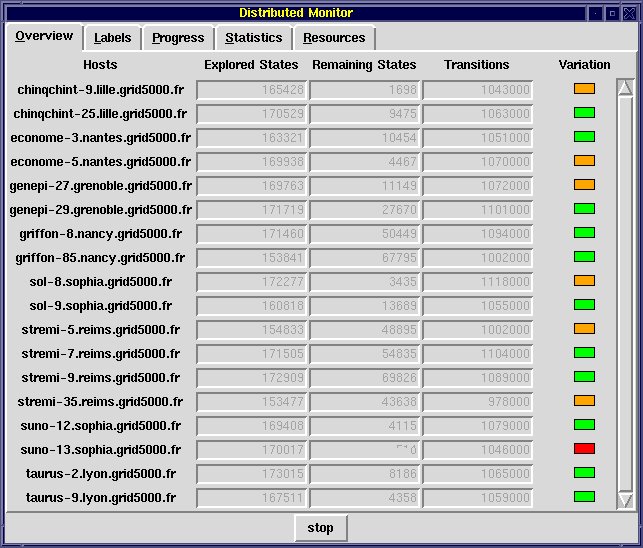
Overview tab of the
distributed monitor window - The "Labels" tab displays all different labels
encountered when firing transitions during state space exploration.
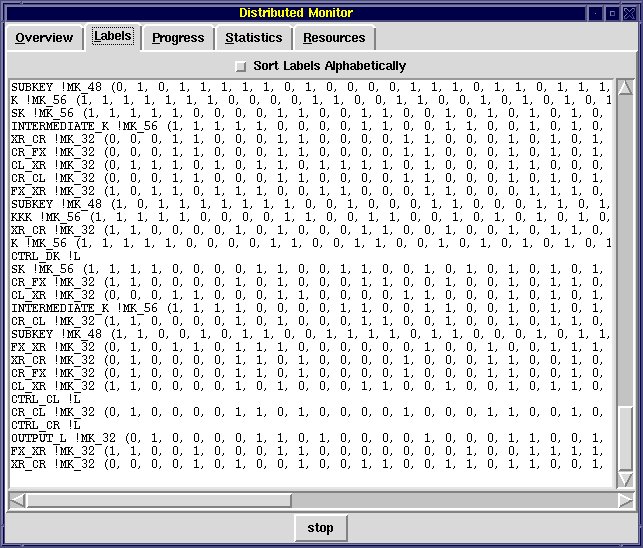
Labels tab of the distributed
monitor window - The "Progress" tab displays, for each instance, a progress
bar indicating the number of states explored for this instance.
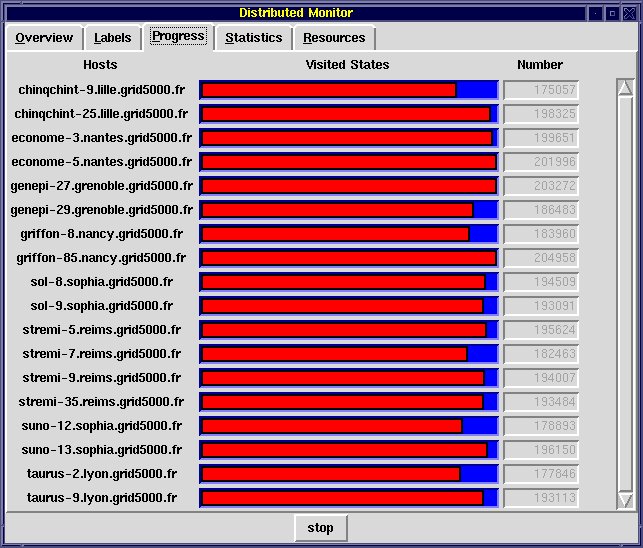
Progress tab of the distributed monitor window - The "Statistics" tab gives
the total number of visited states, of remaining states, etc.
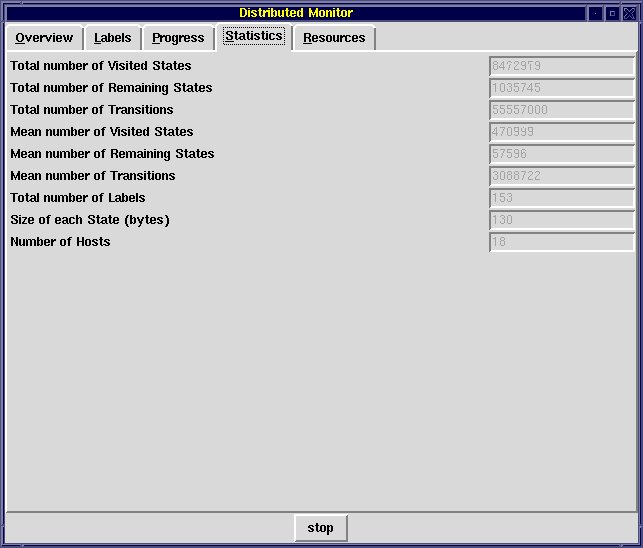
Statistics tab of the distributed monitor window - The "Resources" tab estimates,
for each instance, the corresponding memory and CPU usage.
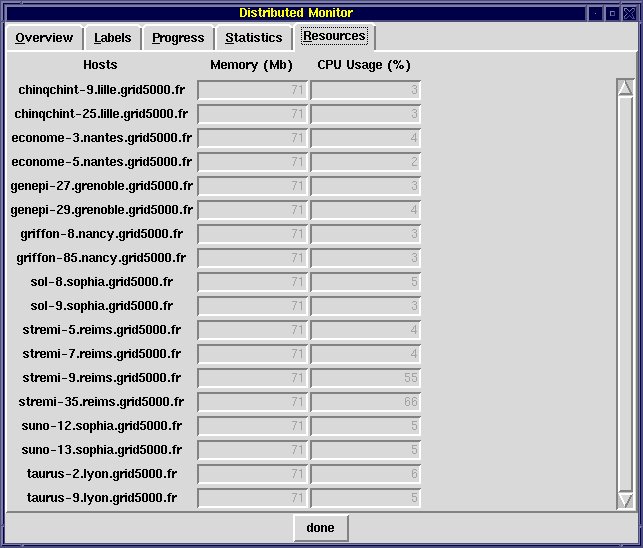
Resources tab of the distributed monitor window
It is worth keeping in
mind that using the distributed monitor may slow down the state space
generation.
Exit status is 0 if everything is alright, 1 otherwise.
When the source is erroneous, error messages are issued. Additionally,
distributor leaves "
.log" files in the working directories on each machine;
these files may help understanding the reason of a problem.
Version
1.0 of
distributor was developed by Irina Smarandache-Sturm (INRIA/VASY)
along the lines of [GMS01].
Version 2.0 of distributor was developed by Adrian
Curic (INRIA/VASY) and Gilles Stragier (INRIA/VASY).
Version 3.0 of distributor
implements a modified algorithm by Christophe Joubert (INRIA/VASY). It was
rewritten from scratch by Nicolas Descoubes (INRIA/VASY). Damien Bergamini
(INRIA/VASY) made a few adaptations. Hubert Garavel and Radu Mateescu fixed
various issues and wrote the distributor manual page.
- spec.bcg
- BCG graph (input)
- spec.exp
- network of communicating LTSs (input)
- spec.lts
- FSP specification (input)
- spec.lnt
- LNT specification (input)
- spec.lotos
- LOTOS
specification (input)
- spec.seq
- SEQ file (input)
- configuration.gcf
- grid configuration
file (input)
- result.pbg
- partitioned BCG graph (output)
- result-*.bcg
- BCG fragments
(outputs)
- distributor-*.log
- log files (outputs)
The binary code of
distributor is available in $CADP/bin.`arch`/distributor.a
The code for the
distributed monitor window is available in $CADP/src/monitor/distributor.tcl
OPEN/CAESAR Reference Manual,
bcg
,
bcg_open
,
bcg_merge
,
caesar
,
caesar.adt
,
exp
,
exp.open
,
fsp.open
,
generator
,
lnt.open
,
lotos
,
lotos.open
,
pbg
,
seq
,
seq.open
Additional information is available from the
CADP Web page located at http://cadp.inria.fr
Directives for installation
are given in files $CADP/INSTALLATION_*.
Recent changes and improvements
to this software are reported and commented in file $CADP/HISTORY.
Please
report bugs to
cadp@inria.fr
[GMS01] Hubert Garavel, Radu Mateescu,
and Irina Smarandache. Parallel State Space Construction for Model-Checking.
In Matthew B. Dwyer, ed, Proceedings of the 8th International SPIN Workshop
on Model Checking of Software (SPIN'01), Toronto, Canada, LNCS 2057, pp.
217-234, May 2001. Revised version available as INRIA Research Report RR-4341,
December 2001. Available from http://cadp.inria.fr/publications/Garavel-Mateescu-Smarandache-01.html
[GMB+06] Hubert Garavel, Radu Mateescu, Damien Bergamini, Adrian Curic,
Nicolas Descoubes, Christophe Joubert, Irina Smarandache-Sturm, and Gilles
Stragier. DISTRIBUTOR and BCG_MERGE: Tools for Distributed Explicit State
Space Generation. In Holger Hermanns and Jens Palberg, eds., Proceedings
of the 12th International Conference on Tools and Algorithms for the Construction
and Analysis of Systems (TACAS'06), Vienna, Austria, LNCS 3920, pp. 445-449,
March-April 2006. Available from http://cadp.inria.fr/publications/Garavel-Mateescu-Bergamini-et-al-06.html
[GMS12] Hubert Garavel, Radu Mateescu, and Wendelin Serwe. Large-scale Distributed
Verification using CADP: Beyond Clusters to Grids. Electronic Notes in Theoretical
Computer Science, vol. 296, pp. 145-161, August 2012. Available from http://cadp.inria.fr/publications/Garavel-Mateescu-Serwe-12.html
Table of Contents